Platform
The tag, the app, and the office — one system.
MyQTAG is three things that work together: a physical QTAG on every asset, an offline-first mobile app for capture, and a web platform for teams, projects, review and reporting.
- QTAG labels
- Mobile app
- Forms
- Sites & floor plans
- Submissions & review
- Reports & files
- Teams & clients
QTAG labels
A durable QR tag that outlives the contract
Order tags in the platform, assign them to locations or products, replace a damaged label without losing its history, and retire one when the door goes. Scanning with any camera opens the record.
- Order lifecycle: draft → submitted → confirmed → shipped
- Replace or decommission a label from the device
- The tag's history stays with the building, whoever inspects it
Screenshot pending
A QTAG label applied to the edge of a fire door
qtag-on-door · photo · 1440×960
a photograph — somebody has to take this one
Mobile app
Built to work where the signal doesn't
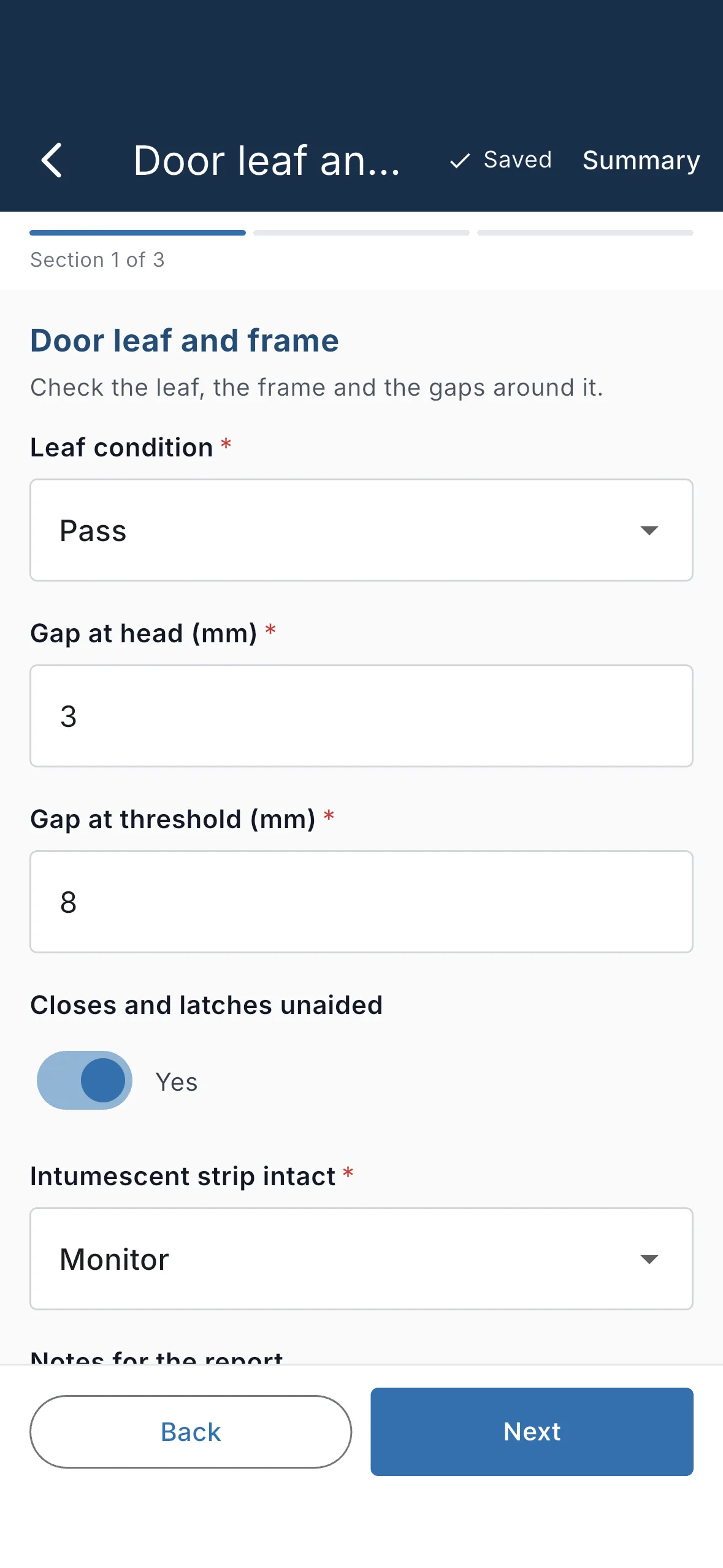
Sign in, sync your projects, forms and sites, then capture with nothing. Photos queue and upload on their own. Prepare my patch pulls down just the buildings you're visiting.
- iOS and Android, on phones and tablets
- Offline validation matches the server exactly
- Biometric unlock after the first sign-in
Forms
Your inspection, your template
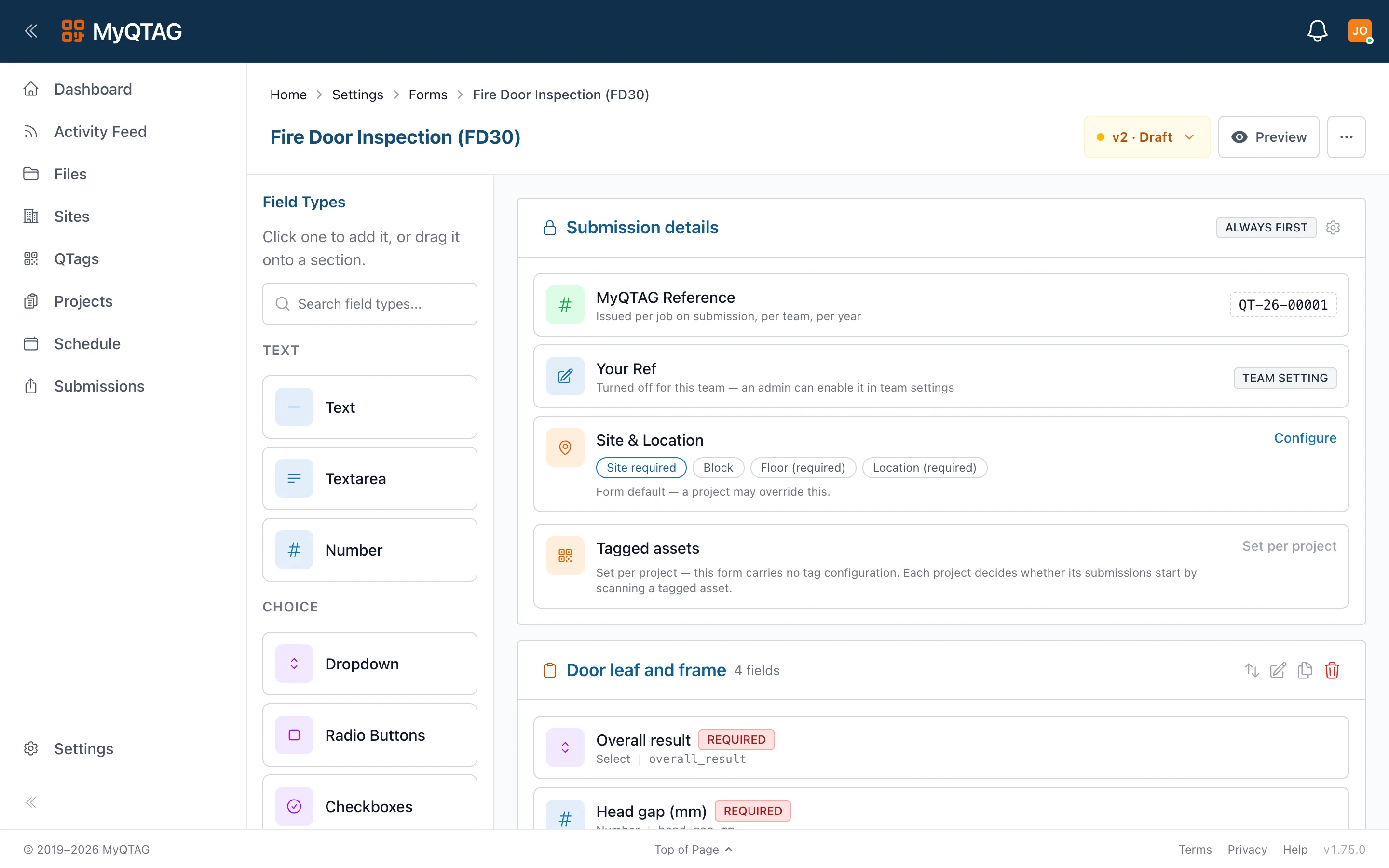
Sections, fields, validation, versioning and a publish workflow. Duplicate templates, export them as YAML, share them across projects.
- Versioned templates with a publish step
- Validation that runs offline on the device
- A client can require their template on your project
Sites & floor plans
Site → block → floor → location
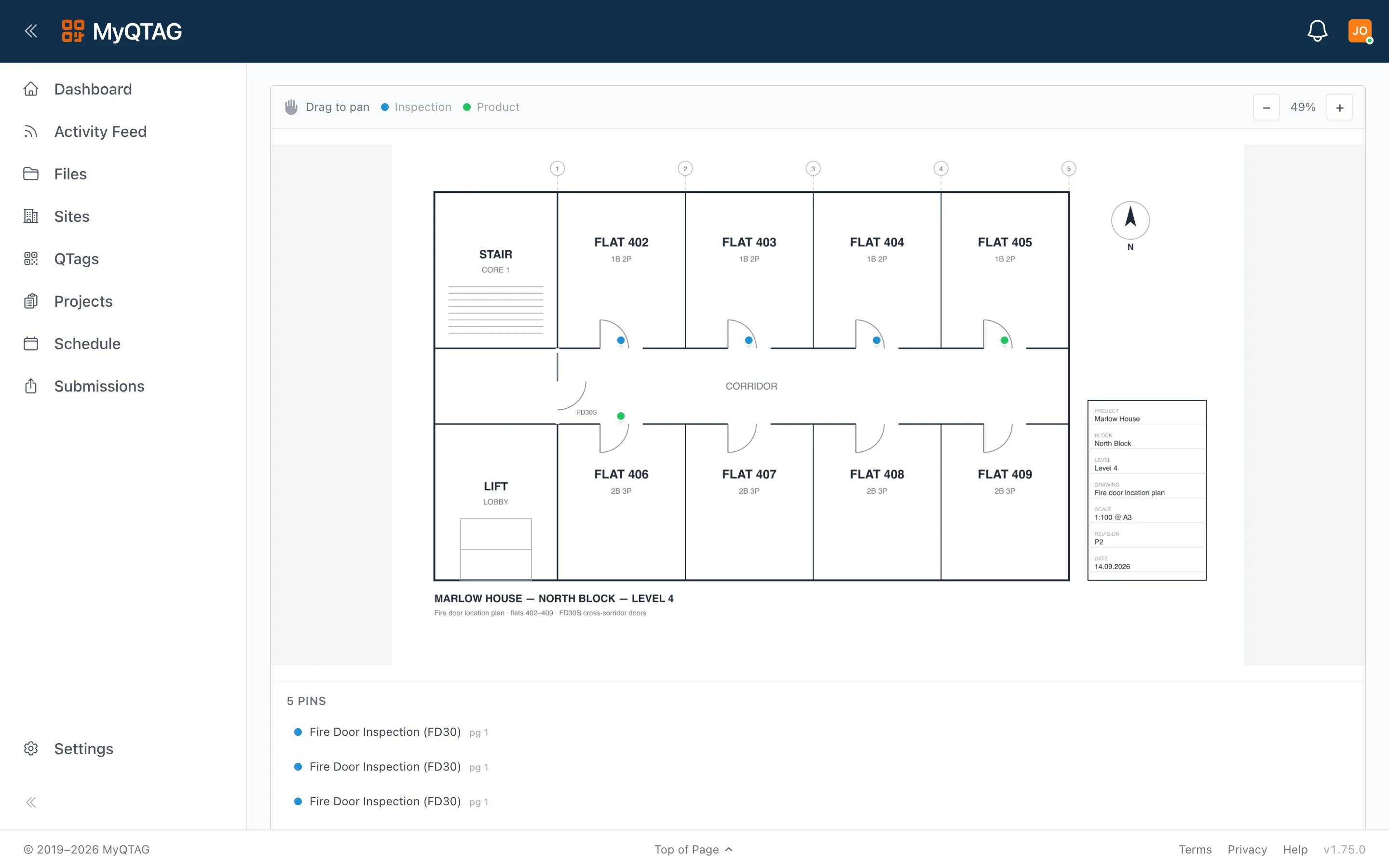
Map coordinates for sites and blocks, PDF floor plans per floor, and pins dragged onto the plan to mark each door. The approved report renders a callout of the pin, so the reader sees exactly where the door is.
- Multi-page PDF floor plans, one per floor
- Pins placed on the plan, on the phone or in the office
- The report shows the pin, not just the room name
Submissions & review
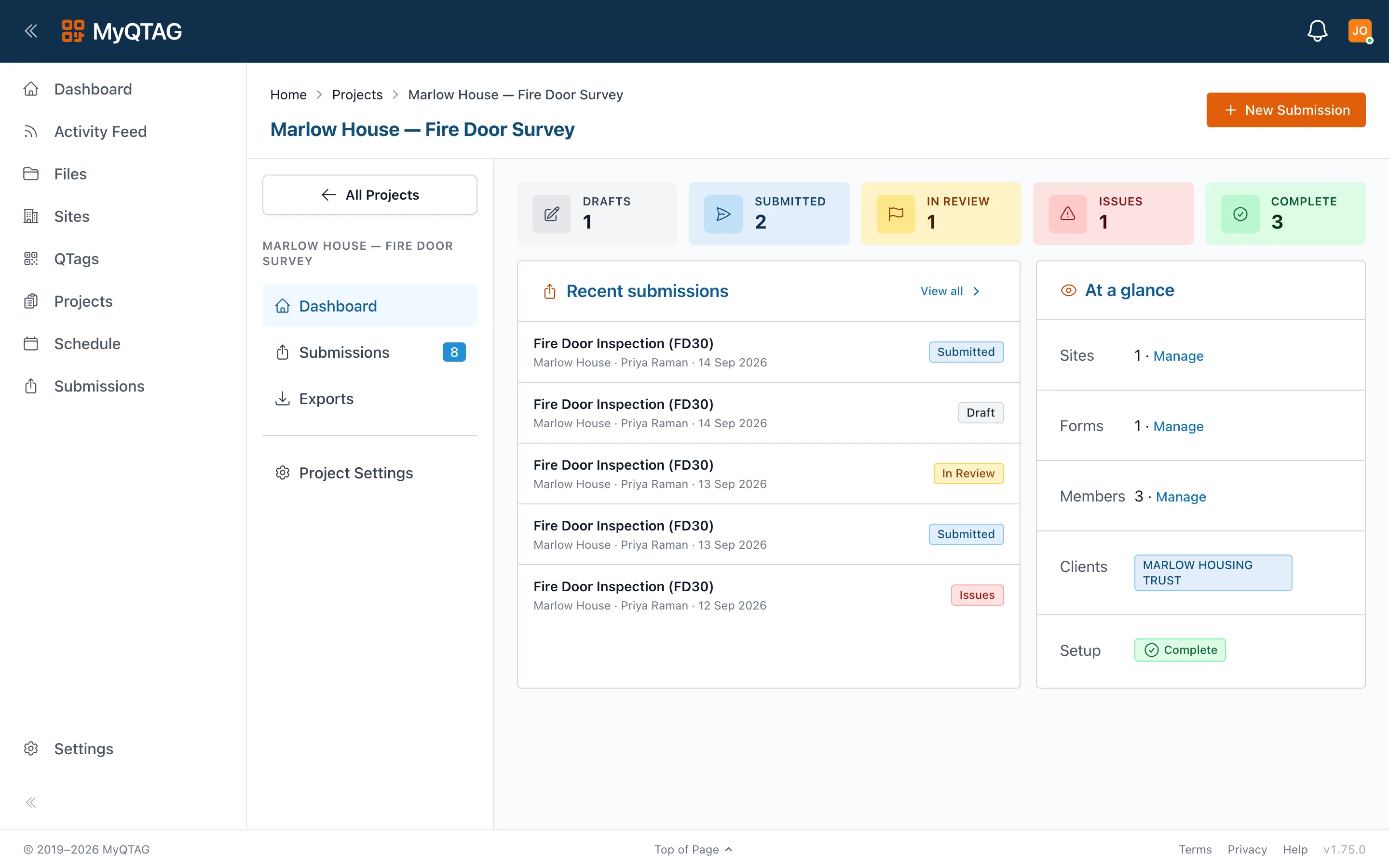
Five states. No ambiguity.
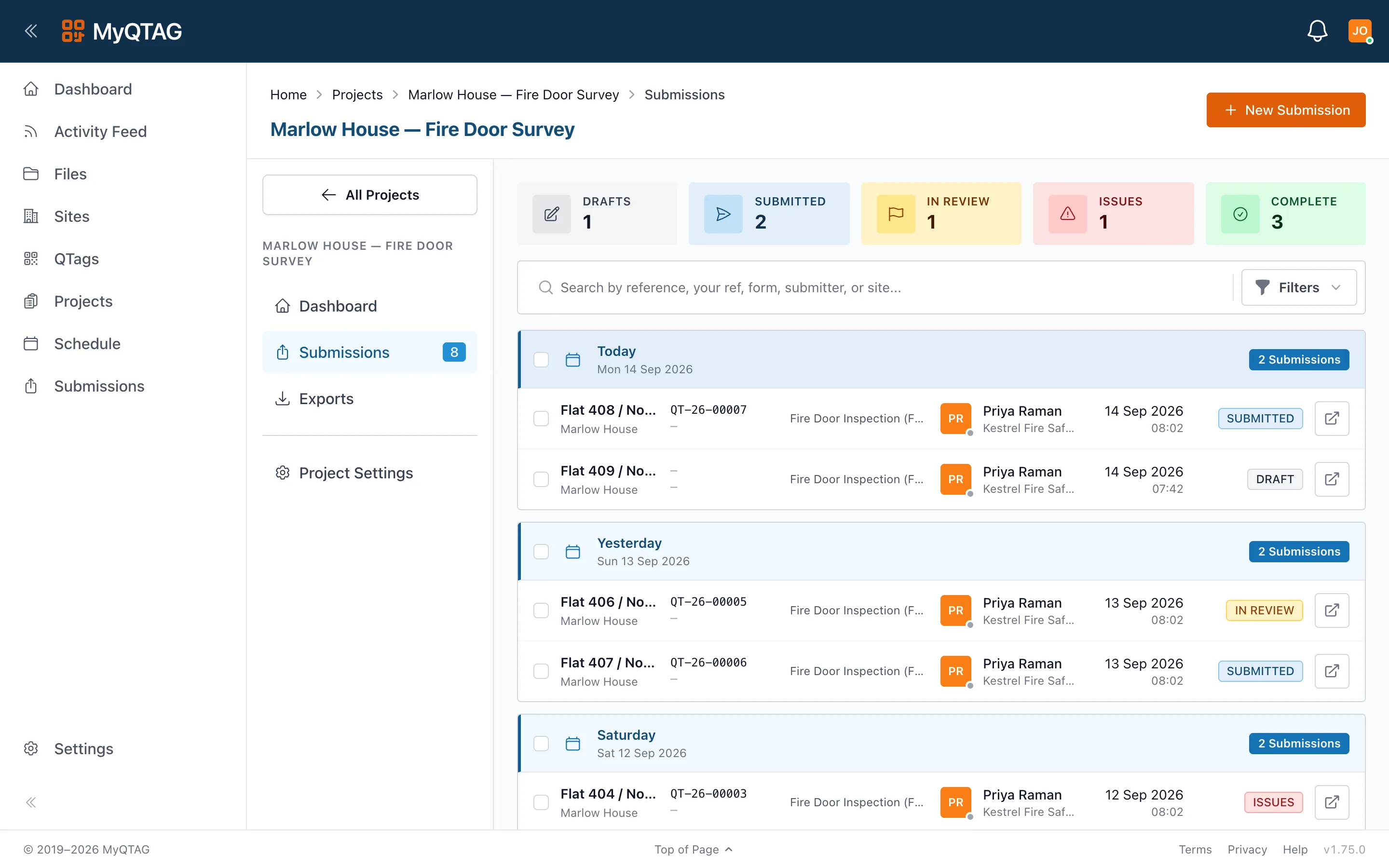
Draft → submitted → in review → complete, with issues sent back to the operative by name. Everyone sees the project's submissions, with the author shown on each.
- Drafts live on the device until the operative submits
- Issues go back to the person who captured the job
- Completion generates the report — nothing to remember
Reports, exports & files
Evidence that files itself
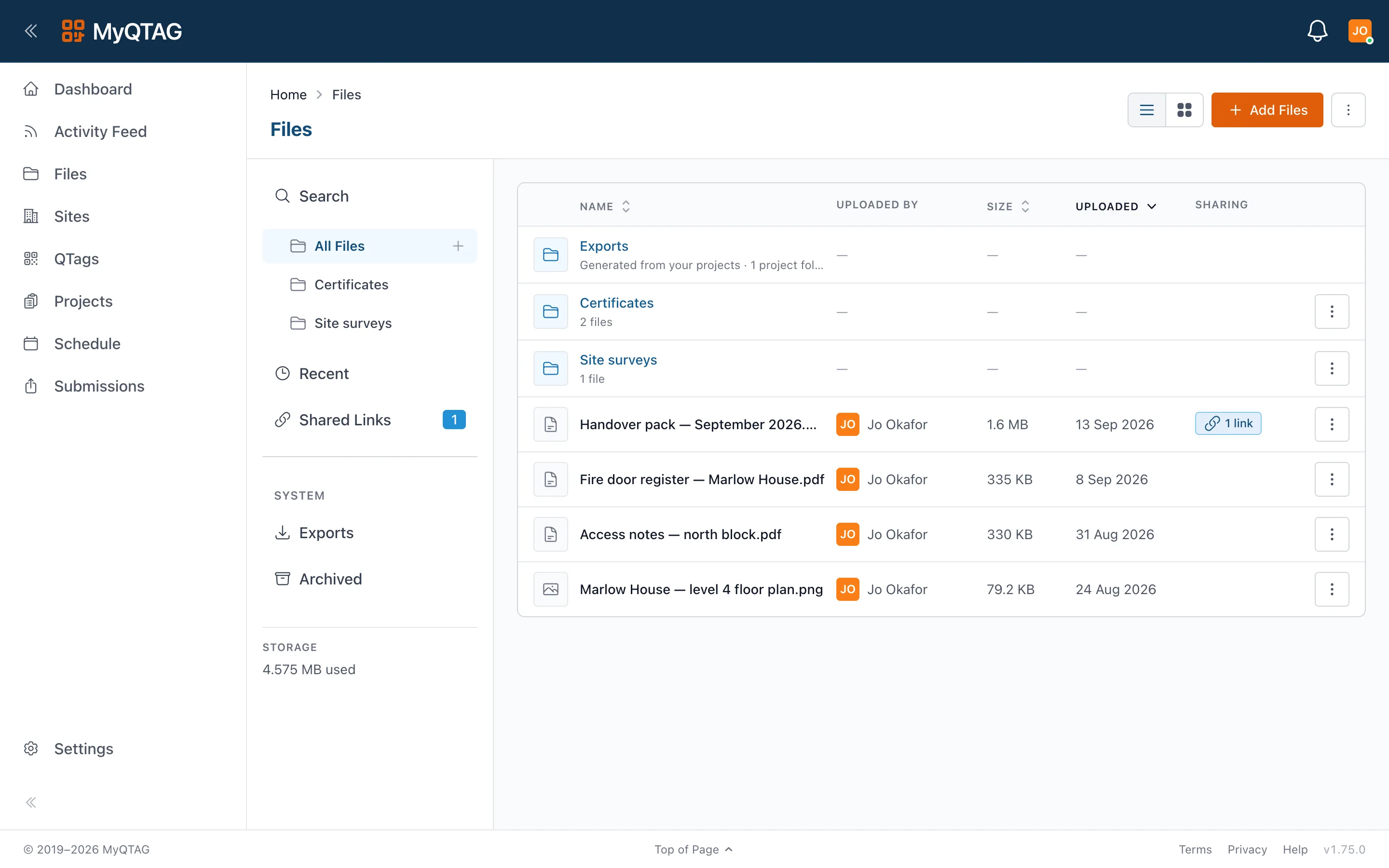
Completion generates the branded PDF. Export templates, configurable filenames, bulk archives, and a file manager with signed, revocable share links and an attributed activity log.
- Client-branded PDFs, generated on completion
- Export templates control the layout and the filename
- Share links can be revoked — even copies already sent stop working
Teams & clients
Multi-tenant by design
Customer teams, client teams, and a role hierarchy from owner to guest. Connect a client to a project and they see the work you publish under their own sign-in — your data stays yours.
- Clients see approved work only, never your drafts
- One tag can carry more than one team's history
- Roles: owner, admin, member, guest
See it end to end.
Set up a team, tag a door and capture an inspection — or let us walk you through it on one of your own buildings.